
The 1,554-Day Journey: Rebuilding Base Building in The Maker Way
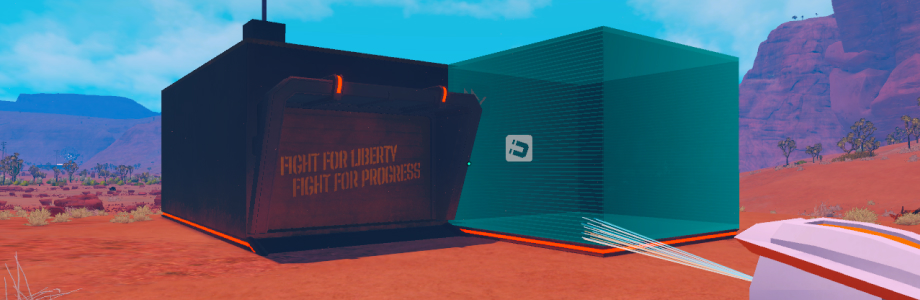
Just released the official demo of The Maker Way on Steam. Got some positive feedback on the base building system so thought I’d share my journey of creating it. Well… it was a long one.
I worked on many aspects of the game during the periods mentioned below but I try to provide the actual month/year I worked on each system to give a sense of the timeline.
This is the first Unity game (or game really) that I ever worked on. My initial efforts were focused on quickly creating modular buildings for the game.
I knew that in the future I’d like for players to be able to create similar buildings but really thought of them as two different systems at first. That was the first mistake of many.
Phase I - The Troublesome Magic of Houdini (Nov 2021)
Houdini is a tool I adore so much that I spent a LOT of time trying to find ways to use it for The Maker Way. Trying to force a tool on the game is of course a terrible approach but I was lured to Houdini’s power.
The thing with Houdini is that if you know how to use it, it’s one of the most powerful tools for content generation at scale. In the Spiderman game series, an entire New York City is generated using Houdini.
Houdini also turned out to have a Unity plug in so that was an exciting opportunity. I managed to create a Houdini procedural structure and using the Unity plug in managed to bring it into the game.
However, after additional experimentation, I decided to drop it. The plug-in felt too heavy and seemed to lack continuous support.
I’m happy though that I have an animated gif from those experiments:
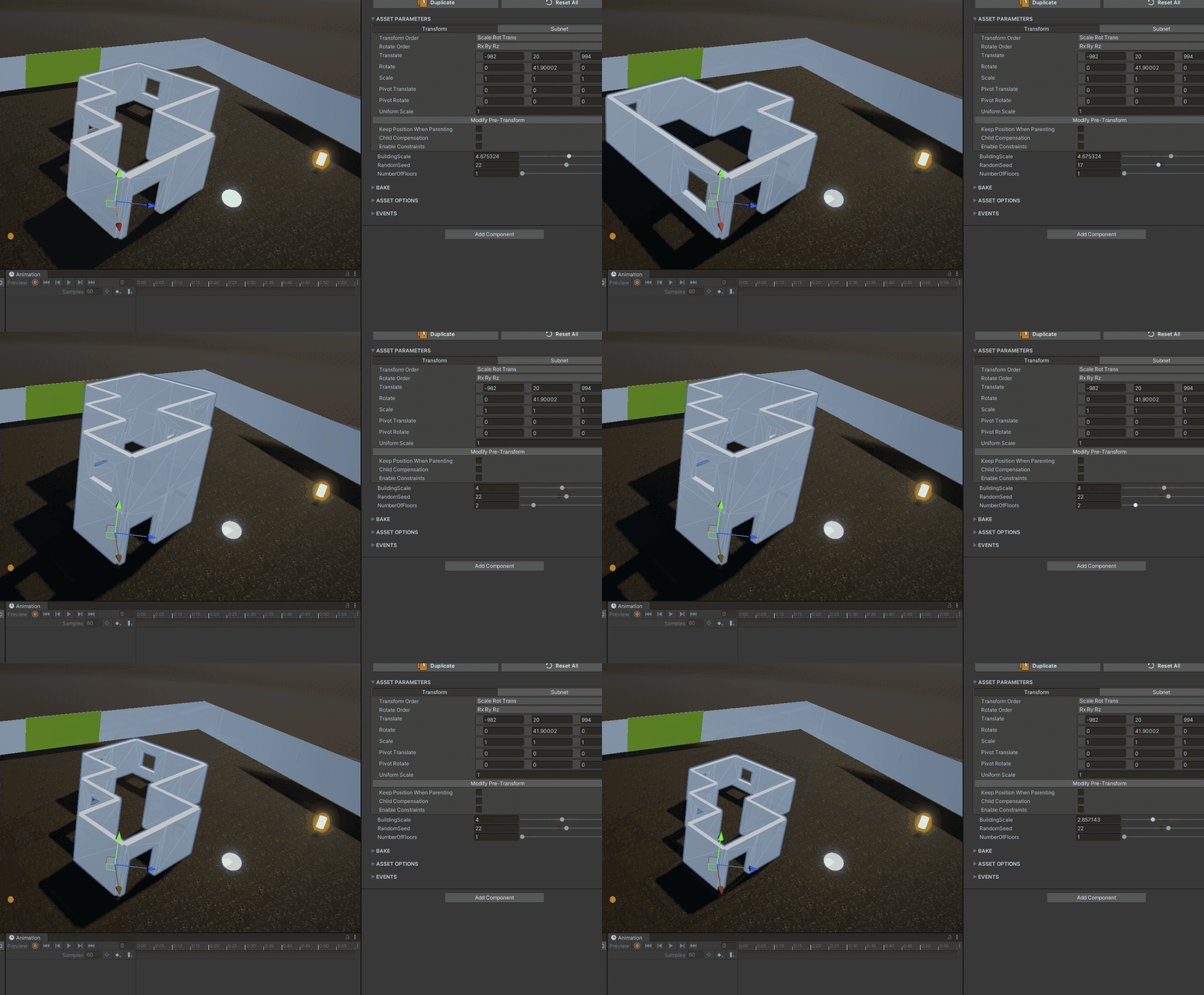 Houdini could not be edited in runtime
Phase II - Blender Geometry Nodes (Apr 2023)
I was already creating the 3D models in Blender, so I thought I’d give Geometry Nodes a try. They provide a similar workflow to Houdini although a lot less complex. Geometry Nodes supported my goal of creating buildings in a procedural way and I got something working pretty quickly.
The fact I could plug in the models I was already working on inside of Blender was a plus. I could edit the parameters quickly and create various types of buildings within minutes.
Alas, the pipeline was very cumbersome. The model had to be exported from Blender to Unity and changes to prefabs or parts would mean recreating the structure in Blender and exporting it again. It didn’t make sense. I thought of trying to create a Geometry Nodes plug-in for Unity that will use prefabs from Unity and I’m so happy I didn’t end up doing that.
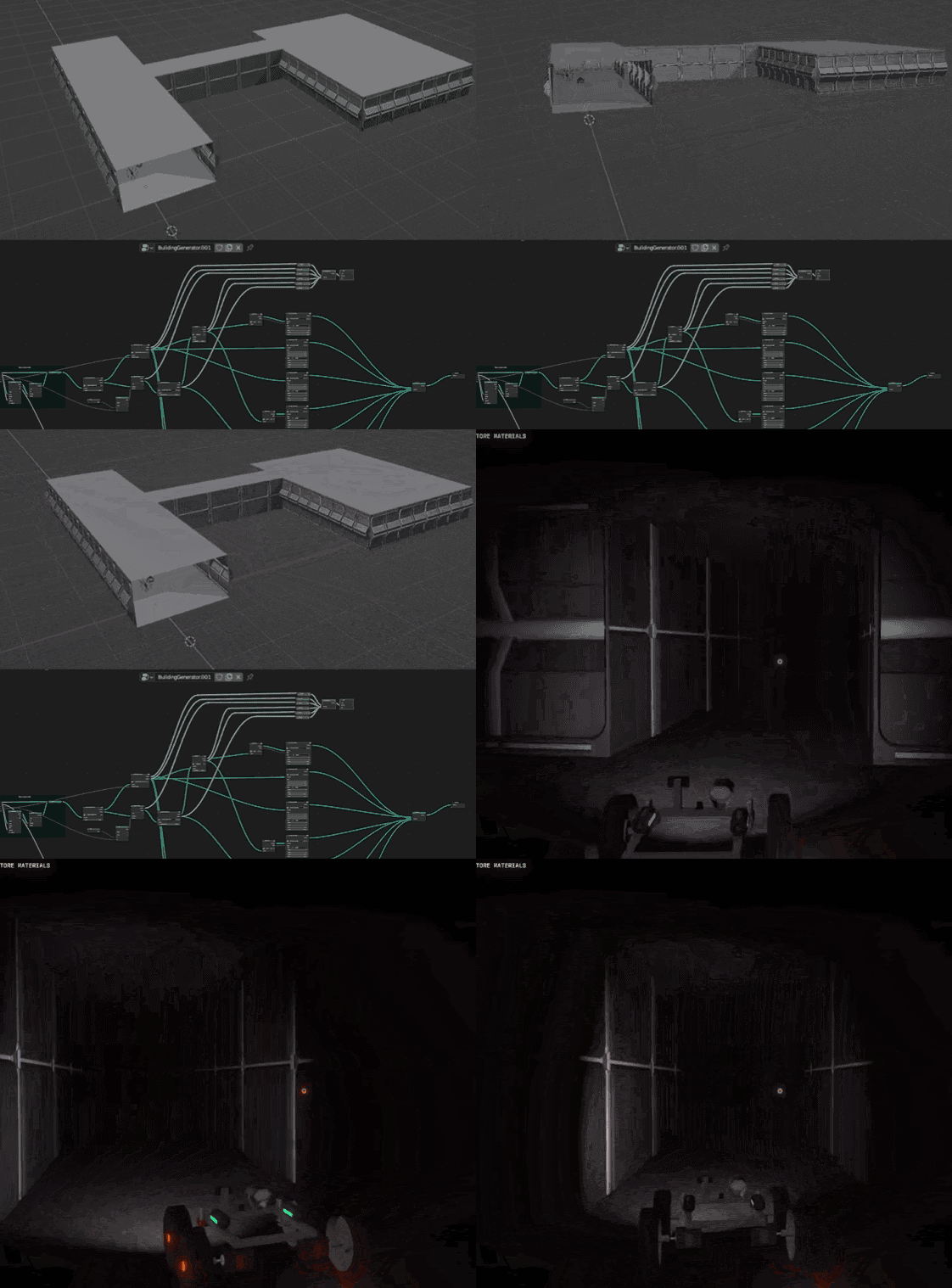 Quickly creating buildings in Blender
Phase III - 2D to 3D buildings (Sep 2023)
After working with external tools I decided to try and create a tool in Unity. I decided to go with something that I thought will be rather simple. What I had in mind was something akin to the Doom level editor.
You use brushes to draw compartments, platforms, walls, gates. You choose prefabs and then they are placed based on the 2D diagram.
This was much better because it was in Unity but it wasn’t WYSIWYG still. There was still friction in creating the diagram and then having to convert it to 3D to see it in the scene. This back and forth wasn’t efficient.
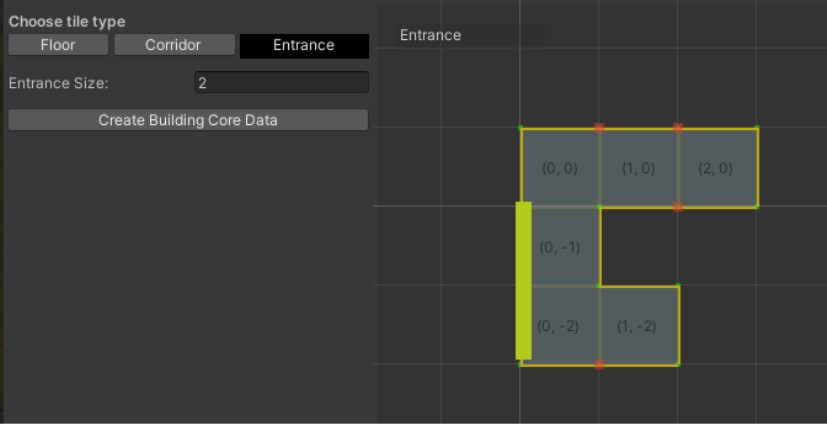 Level Editor - Doom Style?
Phase IV - Trying to double down on Procedural Building (Nov 2023)
There’s something about procedural generation that really excites me. Maybe it is the similarity to how nature and our world works. There is a set of rules/laws (in nature - physics, chemistry, biology) and everything evolves from said rules.
I bumped (don’t even remember how) into a magazine article about Oskar Stalberg and his system behind procedural generation based on Marching Cubes. It was too enticing to not give it a try. Ended up creating a system that worked pretty well but also was really not a fit for the game. Unlike TownScaper (which was created by Oskar), building in The Maker Way is about making buildings functional and not about showing great variety.
I started thinking about Voxels and decided to set the marching cubes building system aside. If you are interested in learning more about marching cubes and deep proc gen, you can watch some of Oskar’s videos on Youtube.
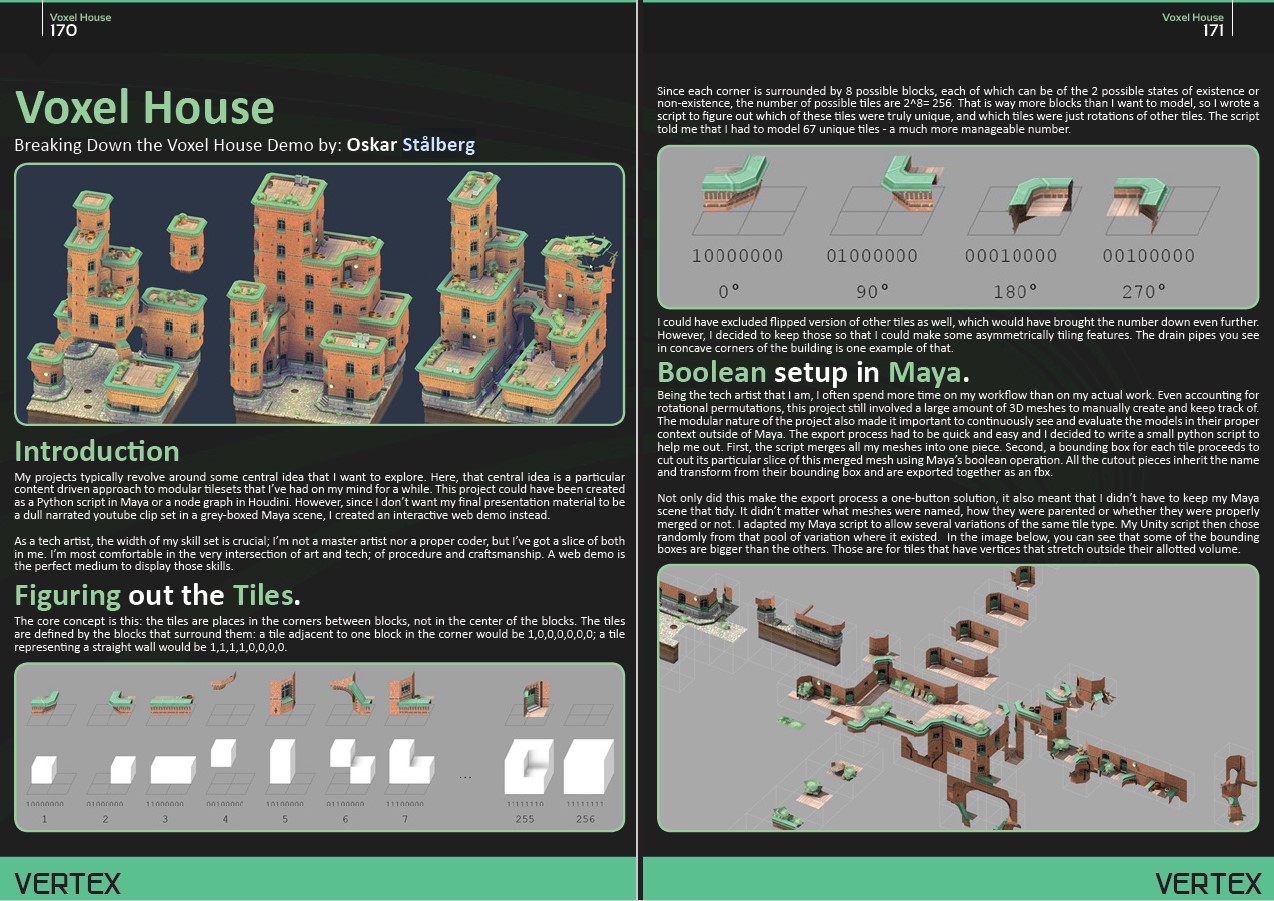 Oskar Stalberg’s brilliant approach based on Marching Cubes
Phase V - A Voxel Detour (Feb-May 2024)
Probably the costliest mistake in terms of time investment. I was inspired by TearDown and later Enshrouded and decided to look into voxels for building.
Getting Voxels to work at scale with high performance is hard, especially as a solo dev. Figuring out combining meshes, collision on small scale of cubes, accommodating different prefabs to fit structures etc. Building is also very cumbersome if you do it voxel by voxel so I found myself creating voxel prefabs to compensate.
It was just too much. Unfortunately I don’t have a video / animated gif from that work but I did find some premade voxel “prefabs” laying around in the project archive.
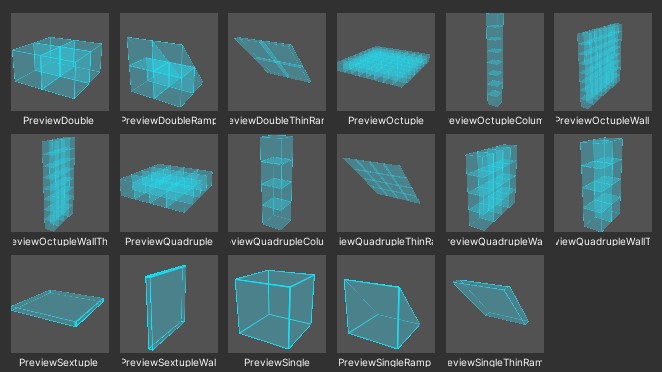 Voxel pre-prepared composition prefabs
Phase VI - Manual Placement + Base Modules Player Placement (March 2025)
At that point, albeit late, I was done with “playing with technologies”. As much as I enjoyed it, I realized that a lot of the work I’ve done on procedural generation is not a fit for the game.
I decided to go for the simplest concept: premade structures in Blender, and then building using structure prefabs in the game. All the modules (batteries, fuel tanks, antennas etc.) would also be pre made. Energy simulation would work based on distance between prefabs.
That worked well and ended up being the system for many of the playtest runs I conducted.
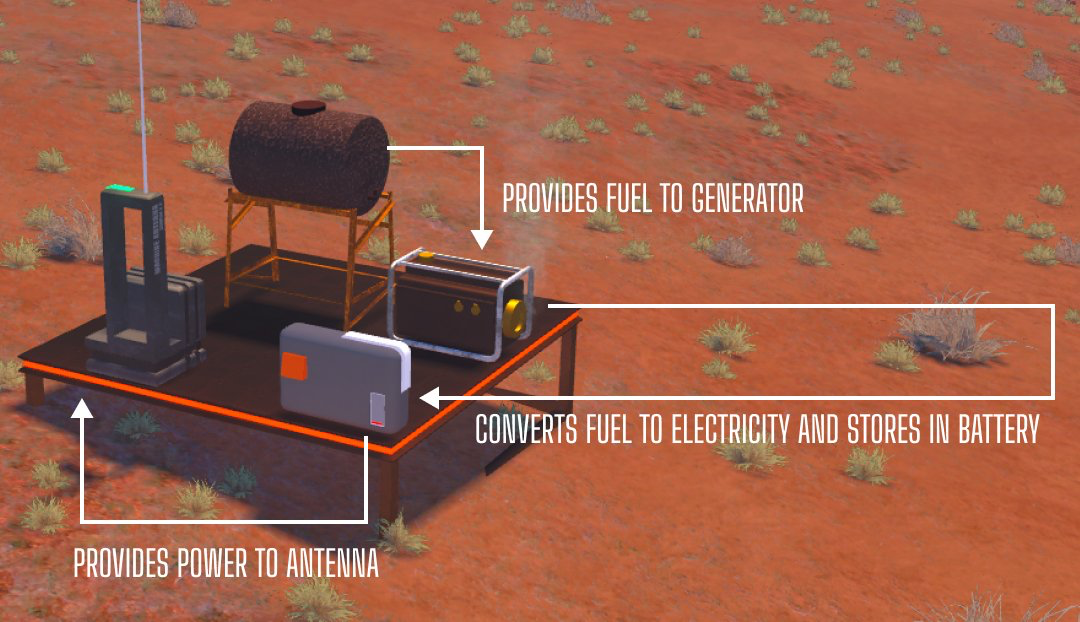 Premade modules supporting energy simulation
Phase VII - Attached Machines (Oct 2025)
This was an idea I had on the back burner for some time. Rather than using premade prefabs for base modules, we could use machines. After all, all modules essentially had a similar functionality to already existing machine parts. For instance, the battery module could be actually made from the same batteries used in machines.
This would bring the game closer to the vision that I had for it. I created a new block called Platform Attach - and now machines could be placed on platforms.
This worked exceptionally well and made the game loop so much more tight.
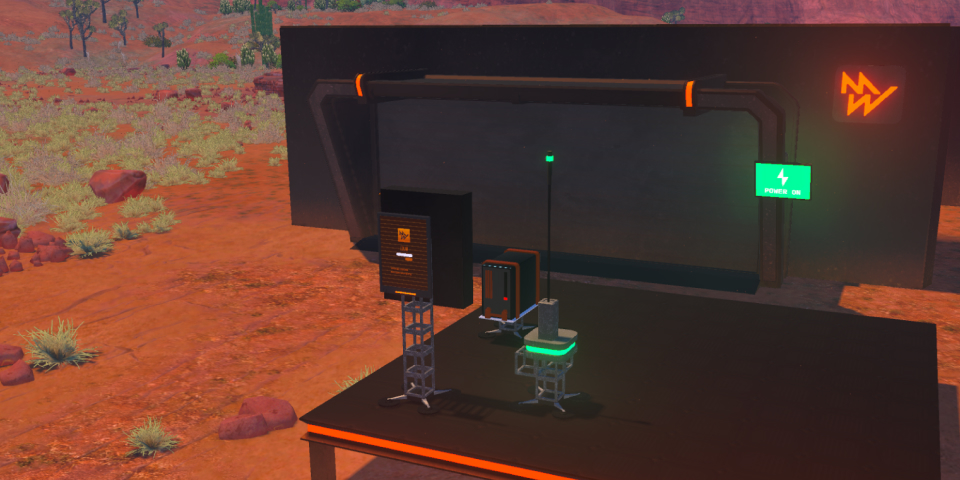 Machines as structures modules
Phase VIII - Achieving Nirvana and Cohesion (Jan-Feb 2026)
Weeks before releasing the official demo, it dawned on me that the way building works is not cohesive enough. It was quite a dilemma whether to dive into this system again just before releasing the demo.
But the problems in that base building system kept staring at me while I was playing the game. Namely:
- Existing structures in the scene were static and couldn’t be edited
- Using the range for energy simulation was very limiting. It required an additional layer of visual data to show which machines/modules are connected to which other machines/modules.
- Creating structures in the Blender/editor was very manual
So I decided I’m going to give it one last try with the following goals:
- Allowing players to edit TMW structures in the game
- Energy simulation relationships based on being in the same structure
- Creating an editor tool that will allow me to build in the editor new structures and will share code with the actual player building sysetm
- Adding procedural generation touches for columns and lights to be added automatically
What is funny is that once I knew what I wanted to do and had already experimented with all of the above - this took me two weeks to implement (plus another week for bug fixing after some playtesters played it).
I’m thrilled with this version and confident it’ll carry the game to its Early Release version later this year
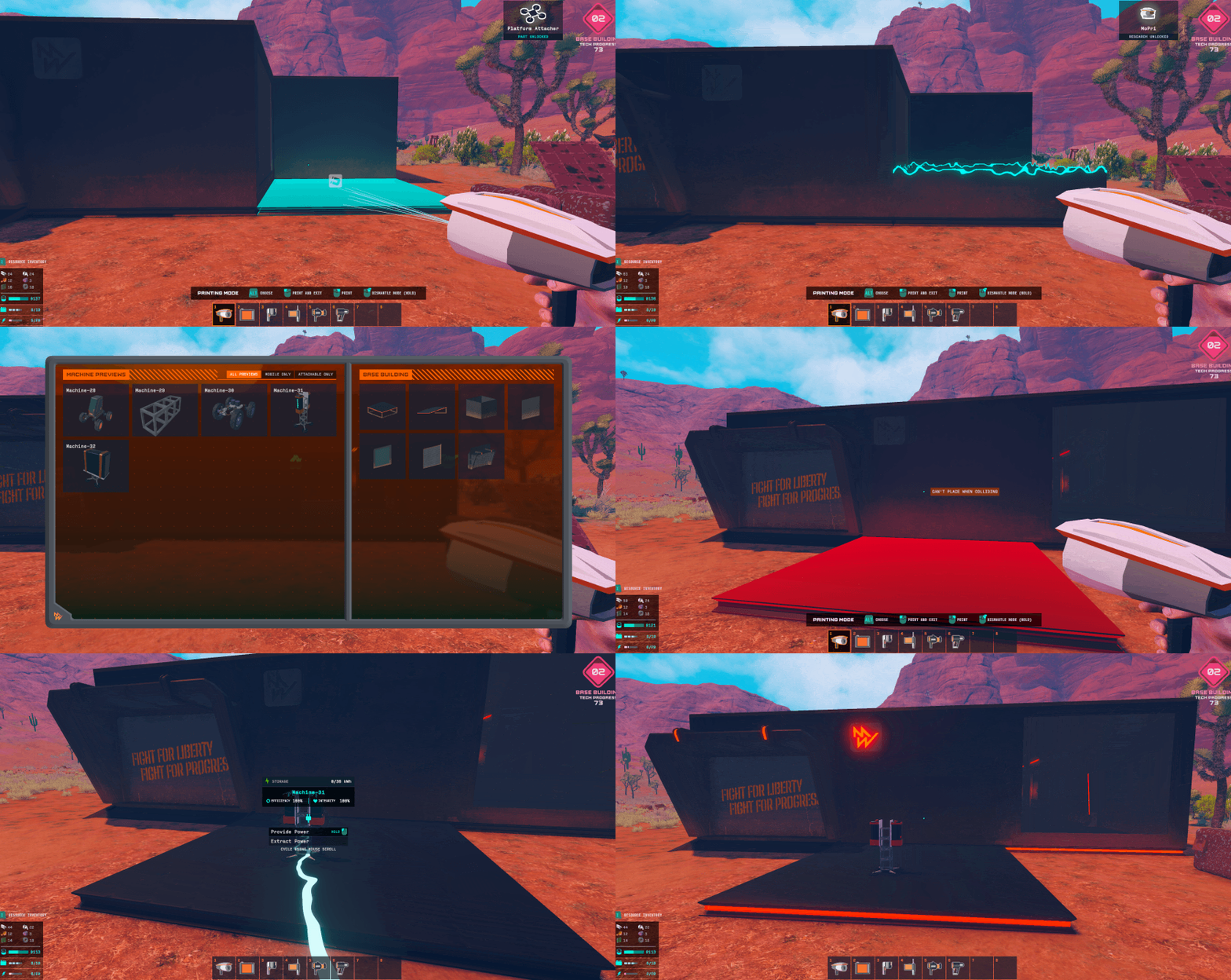 The current version of base building
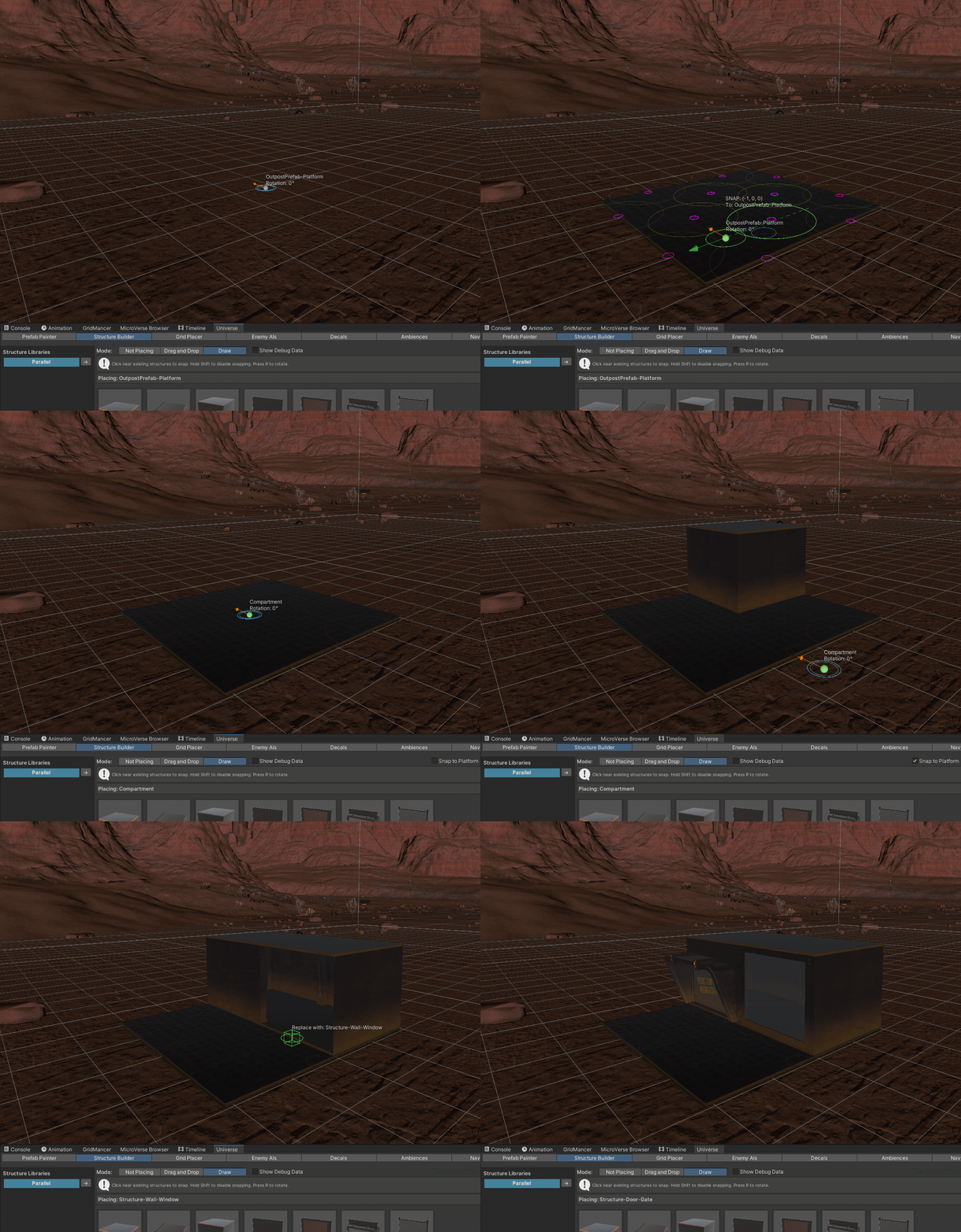 The editor tool
Remember: Gameplay is king. Please DO NOT fall in love with tools
Yes, it’s been four years of iterating over base building!
For anyone on the same journey the two key takeaways would be:
- Start with the gameplay in mind, then find the appropriate tool for it. Don’t fall in love with “cool” tools and try to force them on the game
- Aim for editor tools and player tools to be the same if possible
If you want to see how it all turned out, here’s a link to the demo: https://store.steampowered.com/app/2421490/The_Maker_Way_Demo